56 pull requests merged across 6 repos last week. A lighter one... but most of Mortar's went into the bit your clients actually see. Here's the week.
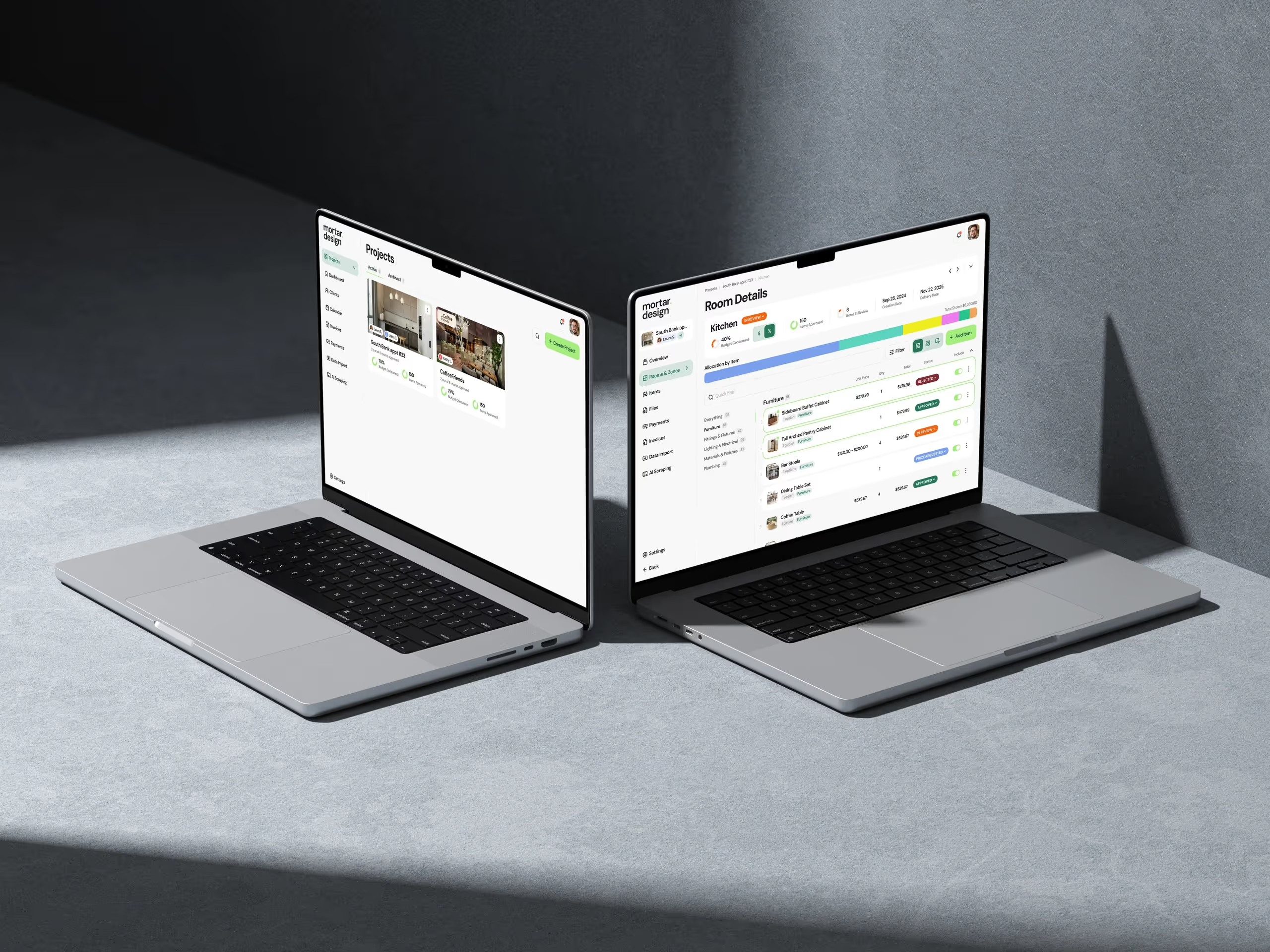
Mortar: talk to your client where the selections are
The selection lives in Mortar. The approval lives in the portal. But the conversation about it... that tends to end up in a text message or an email thread somewhere else.
So this week comments in the Mortar client portal became proper conversations.
- Comment threads on every item. Your client comments on a selection, you reply, they reply. The whole back-and-forth sits on the item it's about, with your replies marked so it's obvious who said what. Long threads collapse so the page stays readable.
- Reactions that stick. Clients can react to an item with a tap, and their reaction is still there when they come back.
- Emails that come from you. Portal invites, approval requests and invoices now carry the designer who sent them as the reply-to address. When your client hits reply, it lands with you, not in a no-reply void.
- Your brand on the email. Upload your studio logo straight into Mortar, and client emails pick up your logo, colours and font.
Underneath, Mortar's own system emails moved to one consistent layout, and the app got a proper design system: one icon set everywhere and clearer status tags, so "approved" and "in review" read the same on every screen.
We also laid the groundwork for the portal to get its own address and for clients to sign in with an emailed code instead of a password. And we started building a Mortar connector for Claude and ChatGPT. Both are coming... more when they're live.
→ client portal · billing and payments → Free: interior design budget template → Try Mortar free
Handl: the paperwork clients ask for
Last week the Work detail (the time behind each invoice line) got broken down by task. This week it became something you can hand over.
Work detail is now its own PDF. Download it next to the invoice from the dashboard. If you've chosen to share Work detail with a client, it also shows up as an attachment in the client portal and on the pay page, so they can open it without asking. It's built from the invoice itself, so it works on existing invoices too.
Also shipped in Handl this week:
- Choose how each client pays. Card, bank transfer, or both, as simple checkboxes on the client. Pick both and Handl tells you up front that auto-pay stays off for that client.
- Set tax per invoice. Change the rate, pick "No tax", or set a custom label and rate right in the invoice editor, and totals update with it.
- Copy pay link. One click on any issued invoice copies the link your client pays from. Handy when a bookkeeper just needs to resend it.
- Reuse a contact. When you add a contact to a client, you can start from someone already in Handl. Portal access stays opt-in for each client.
- See what a contact can see. Contacts now list the projects they have access to, not just a count.
- Talk to the agent in invoice numbers. Refer to an invoice by its number when you ask the Handl AI agent, and it knows which one you mean.
- "No active projects" is now its own label on a client, so it's easy to tell apart from a client you've switched off.
- Handl's onboarding emails now arrive at 8am in your own timezone.
→ See how it works: invoice automation · client portal · AI agent → Free: invoice aging and chase tracker → Start a Handl trial
Client work
Real Estate Jobs Australia — writing a job ad now starts with a short Details step: job title, location (filled in from the agency's office), on-site/remote/hybrid, work type, salary as a figure or a range, and super included or not. The role picker is searchable and grouped by department, using the client's own list of real estate roles. Then the chat, now called the Jobs Assistant, opens already knowing the shape of the role, so it gets straight to the useful questions.
Also on REJA: new sign-in and sign-up photos from the client's artwork, a different one for employers and job seekers, and a smoother mobile menu. On the CRM side, new accounts and published jobs now show up as activity on the right contact and company in the client's CRM, and employers are marked as customers when they convert.
Abilene Association of REALTORS® — the office directory cards now lead with the office name, and brokerages and affiliate offices each have their own directory.
If you need something like this built for your industry, this is what we do.
One thing I learned
When a data decision could lose something, pick the version where nobody loses anything.
The "reuse a contact" change in Handl sounds tiny. But there were three ways to build it. Move the contact to the new client, which is quick but takes their portal access away from the old one. Build a proper shared contact across clients, which is the "right" model but a much bigger job. Or copy the details into a new contact and leave the original alone.
We copied. Nothing gets taken away from anyone, portal access stays a deliberate choice, and if people start asking for one contact across many clients, we'll build that then... with actual requests to build it against.
See you next week.
— Daz
 Consulting Inquiries