117 pull requests merged across 5 repos last week. More than half of them were Handl, and most of those were about one question... did this project actually make money?
Handl: know what a project really cost
Ask an agency owner what a project billed and you'll get an answer in five seconds. Ask what it cost and you get a pause.
The hours are in timesheets, sure. But the contractor invoice is in someone's inbox, the hosting is on a card, and the AI credits are... somewhere. So "that one went well" stays a feeling.
This week Handl got proper project costs. Every project now has a cost ledger for the non-time stuff, and those costs land in the maths. A project's cost is labour plus expenses, everywhere Handl shows margin. Not in a separate report you have to remember to open.
The bit I care about most is that logging a cost shouldn't feel like bookkeeping:
- Upload the bill. Drop in a PDF or a photo of the vendor's bill and AI pre-fills the vendor, amount, date and category. You check it and hit save. It never invents an amount, and it never books anything on its own... if it can't read something, it leaves it blank.
- Recurring costs book themselves. Set it up once (weekly, monthly, quarterly or yearly) and Handl books it each period until you pause it or it hits its end date. Auto-created costs get a "Recurring" badge so you know what was you and what was the robot.
- Payment plans. A contractor who wants a deposit now and the rest in instalments? Set up a scheduled cost with uneven payments, and each one books on its due date. Or upload the vendor's proposal and AI pulls the payment schedule out of it for you.
- Vendors. A proper vendor list in Settings and a vendor picker on every cost, so costs stop being free-text guesses.
It all lives in a tidied-up Time & Costs tab on each project, with its own sub-tabs and a weekly trend by default. And who can see costs is still your call... cost visibility is permission-gated.
Also shipped in Handl this week:
- Retainer auto-pay. Turn it on per client with a saved card. Choose a fixed amount (with a tolerance) or a variable one with a cap, and if there's no rule, nothing gets charged. The client gets a notice before every charge (48 hours by default) and a receipt after. If they hit "Question about this invoice?" or reply to the email, the auto-charge is held and you get an alert.
- Find any invoice. Filters, sorting and pagination on the invoice and payment lists, a quick-filter strip, sortable columns... and a search box where you can just type what you're after in plain English. It shows you how it read your request, and you can clear that with one click.
- Sending invoices. Pick exactly who gets it (client contacts, your team, yourself), write your note in rich text and see a live preview of the email before it goes. The AI summary now draws on the real work (tasks, milestones, timesheet notes), shows on the client's pay page, and can be regenerated after sending if you confirm it.
- The client portal reaches further. Invoice emails link to the client's portal, and clients can invite their own colleagues (say, their accounts team) with the same access they have.
- Emails that look like yours. No more "via Handl", and you can edit the sending name.
- Xero sync settings. Choose when invoices sync and in what status, payments recorded in Handl flow across too, and your tax rate goes with them so the totals line up.
→ See how it works: cash flow · client portal · integrations → Free: invoice aging and chase tracker → Start a Handl trial
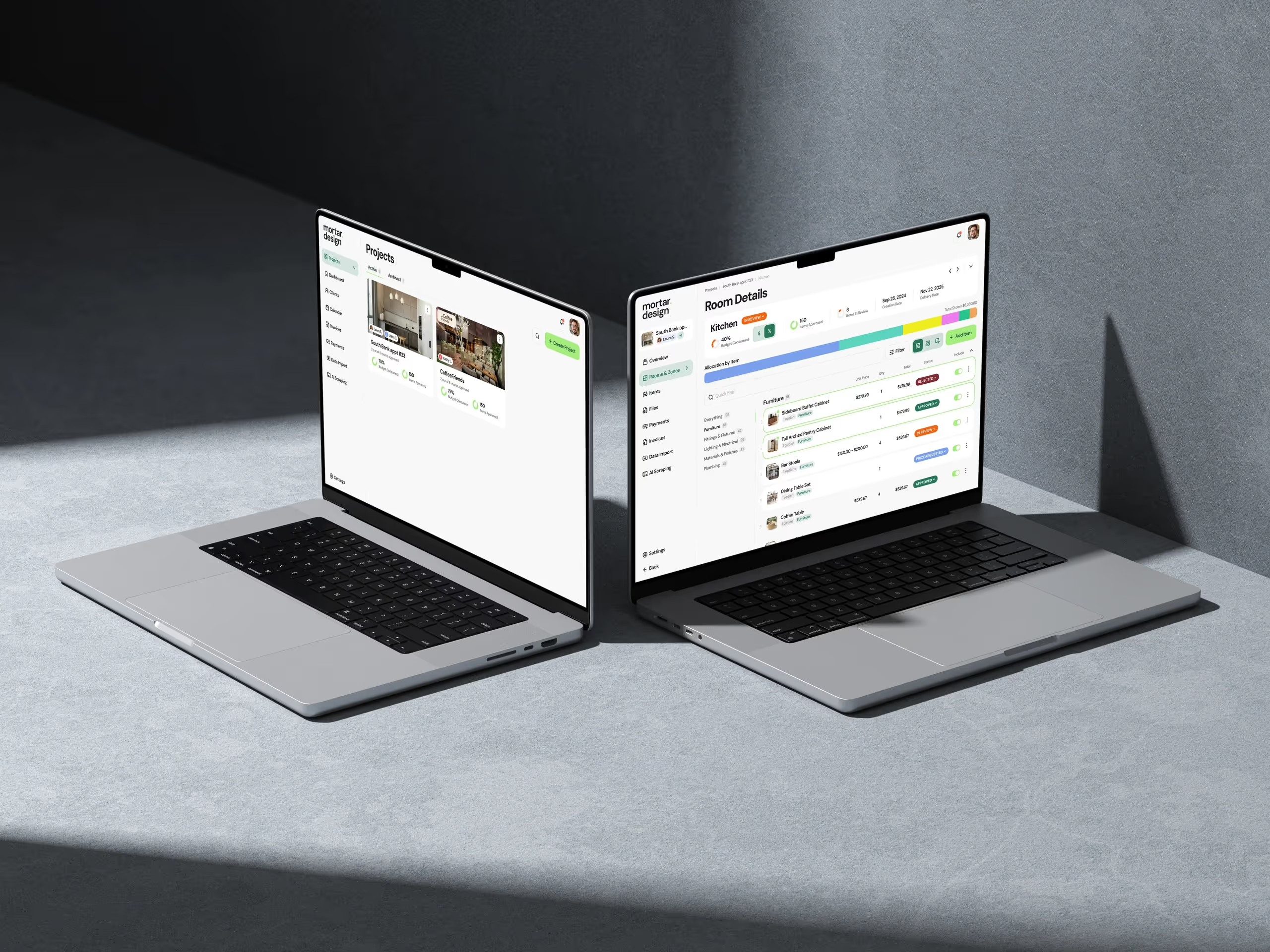
Mortar: when does this need to be ordered?
Interior design projects don't usually go wrong on the design. They go wrong because the sofa had a long lead time and nobody ordered it in time.
So this week Mortar learned about lead times and order dates.
- A procurement schedule on every item. Ordered, lead time, expected delivery, received. If an item's expected delivery lands after the project needs it, it gets flagged.
- Order-by dates. Set when the build phase starts and Mortar works backwards. Each item gets the date you need to place the order, and anything not yet ordered is marked overdue, soon or on track.
- Lead times fill themselves in. Mortar reads delivery info from the product page when you clip it, picks it up from supplier quote replies, and falls back to a typical lead time for that vendor. Every estimate is marked with where it came from, and you can replace it with the real number any time.
- A studio calendar. Project deliveries, invoice due dates and item arrivals in one place, plus a calendar tab inside each project.
And on 18 July, boards got a design upgrade. Product images get a realistic grounding shadow the moment they land on the canvas. Board palettes are sampled from the actual photos on the board. There's an eyedropper to pull a colour from any image into a swatch, a one-click "make hero" to anchor the layout, and four textured backgrounds. None of it is gated... if your studio has boards, it has all of this.
Smaller things: the web clipper remembers the last project and room you used, there's an in-app help widget, notifications now cover supplier quote replies and overdue invoices, and the sign-in screens got a redesign with a proper reset-password flow.
→ Procurement · mood boards · budget tracking → Free: interior design budget template → Try Mortar free
Client work
Real Estate Jobs Australia went live the week before, so this was its first full week in the wild. Mostly polish, and a couple of new things for employers:
- AI-written interview questions on the Interview Templates page. Enter the role and it drafts the questions for you to edit.
- The AI job assistant works from your draft. It now sees the job ad you're writing, so its suggestions fit the actual role.
- Cleaner CRM records. New employer sign-ups land in the client's CRM with their company name filled in.
If you need something like this built for your industry, this is what we do.
Marketing, behind the scenes
All handl.works this week.
- Three content clusters went up. Why clients pay late, handing over files without getting ghosted, and setting aside GST. Eleven pieces in all, including two new product pages for set-aside reminders and deliverables.
- A costs cluster to match the feature. A product page for project costs, a pillar on agency project profitability, and a post on uploading the bill instead of typing it.
- A page for something we haven't built. More on that below.
- Blog category pages and proper SEO titles on the pillar pages, plus designer screenshots replacing placeholders on the costs page.
One thing I learned
Put the page up before you build the thing.
We've got an idea for Handl around ad spend... agencies that run client ad budgets have a whole cash flow headache of their own. It'd be a decent chunk of work. So instead of building it, we put up an early-access page that says clearly it's coming soon and we're validating it, with a short form asking what you spend and on which platforms.
If nobody signs up, that's a few days saved and a lesson learned. If they do, we'll know what they spend and where, before writing a line of code. Either way it's cheaper than finding out after.
See you next week.
— Daz
 Consulting Inquiries