We just shipped two AI-native products in under 90 days each. Not MVPs that barely work — real products with paying customers. Here's exactly how we did it, step by step, so you can decide if building AI software is right for your business.
This article is part of our complete guide to AI-native software development.

I've been building software for 25 years, and the AI revolution has changed everything about product development. The old playbook of spending six months on requirements before writing code? Dead. The new reality demands speed, iteration, and a completely different approach to AI SaaS development process.
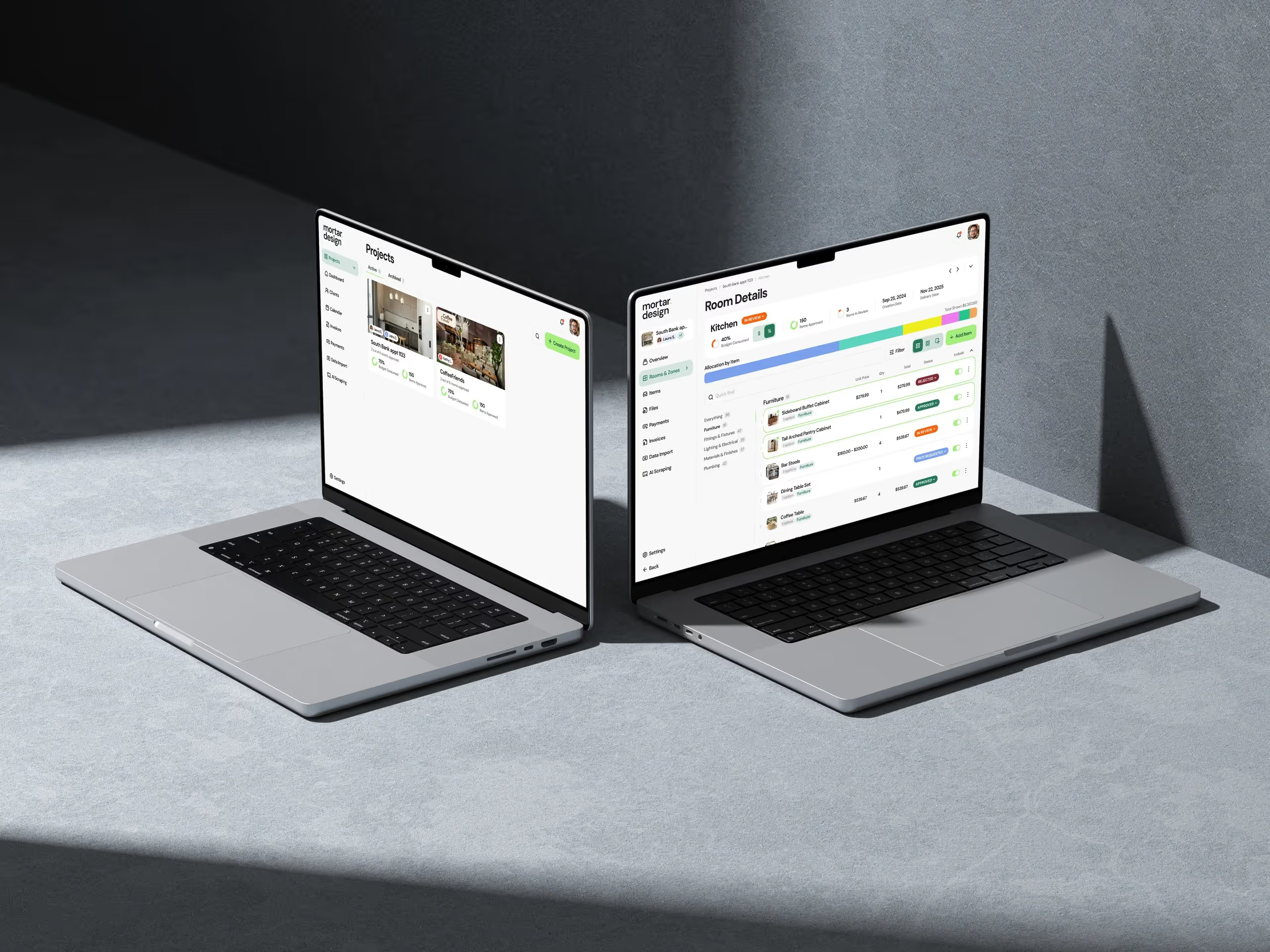
This isn't theory. This is the exact process we used to build Handl (our AI-powered billing platform) and mber (our applicant tracking system). Both went from concept to first paying customer in less than three months. I'll walk you through every step, including the mistakes we made and what we'd do differently.
Start with the Problem, Not the AI
Everyone wants to build AI software right now. Most fail because they start with the technology instead of the problem. We learned this the hard way on our first attempt at an AI product (which we killed after two weeks).
When we started building Handl, we didn't begin with "let's use AI for billing." We started with a specific pain point: digital agencies were spending 15-20 hours per month just managing invoices and chasing payments. The AI came later, as the solution to that problem.
Here's how we validate problems worth solving: First, we talk to at least 20 potential users. Not surveys — actual conversations where people complain about their workflows. For Handl, we spoke with 23 agency owners and billing managers. Every single one mentioned payment collection as a top-three headache. Second, we look for problems where current solutions require significant manual work. If someone's copying data between three systems or doing repetitive tasks that feel robotic, that's our sweet spot.

Design the AI Experience First
Most teams build the AI model first, then figure out how users will interact with it. That's backwards. We design the user experience first, then determine what AI capabilities we need to deliver that experience.
For mber, we started with a simple sketch: recruiters upload a resume, and the system instantly shows which open positions are the best match, with a confidence score. That was it. No complex AI dashboard, no need to understand embeddings or vector databases. Just upload, match, done.

We prototype these experiences in Figma before writing any code. But here's the critical part — we prototype the AI responses too. We manually create what the AI output should look like for 10-15 real examples. This forces us to think through edge cases early. What happens when the AI is only 60% confident? How do we show partial matches? What if the AI completely fails?
This approach saved us weeks of development time on Handl. Our initial design had the AI automatically sending payment reminders without human review. When we mocked up the experience with real invoice data, we realized this was terrifying for users. They wanted to review every message before it went to clients. So we redesigned the flow: AI drafts, human approves, then sends. This single decision, made during design phase, prevented a major pivot later.
Build a Stupid Simple First Version
Here's where most AI projects go off the rails. Teams try to build sophisticated AI systems from day one. We do the opposite. Our first versions are embarrassingly simple — and that's exactly why they work.
For Handl's first version, we used GPT-4 with basic prompting. No fine-tuning, no custom models, no complex RAG systems. Just a well-crafted prompt that took invoice data and generated payment reminder emails. The entire AI component was maybe 200 lines of code. We shipped it to our first beta user in week three.
The first version of mber was even simpler. We used OpenAI's embeddings API to convert resumes and job descriptions into vectors, then calculated cosine similarity for matching. That's it. No sophisticated parsing, no custom NLP models. Total development time for the core AI feature: four days.
Why does this work? Because 80% of the value in how to build AI software comes from solving the workflow, not perfecting the AI. Users don't care if your model is 94% accurate instead of 87% — they care if the product saves them two hours every week. Ship the simple version, get real feedback, then improve the AI based on actual usage patterns.
We've found that the simple version often reveals surprising insights. With Handl, we discovered that users cared more about the AI maintaining their brand voice than about payment prediction accuracy. That insight completely changed our development priorities for V2.
The 30-60-90 Day Sprint Framework
We break every AI product build into three 30-day sprints. This isn't arbitrary — it's based on shipping over a dozen products and finding the optimal balance between speed and quality.
Days 1-30: Core AI Loop
The first sprint focuses exclusively on proving the core AI functionality works. For Handl, this meant: Can AI read an invoice and generate a professional payment reminder? For mber: Can AI match resumes to job postings better than keyword search? We build the minimum interface needed to test this — often just an internal tool. By day 30, we have 3-5 beta users testing the core feature daily.

Days 31-60: Production Workflow
The second sprint transforms the prototype into a real product. This is where we build user authentication, data persistence, error handling, and all the "boring" stuff that makes software actually usable. We also start addressing edge cases discovered during beta testing. For mber, we discovered that recruiters often uploaded resumes in weird formats (screenshots, photos of paper resumes, even handwritten notes). Sprint two was largely spent making the system resilient to messy real-world data.
Days 61-90: Polish and Launch
The final sprint is about turning a functional product into something people want to pay for. This includes billing integration (we use Stripe for everything), onboarding flows, and what we call "trust features" — the little things that make users confident in AI outputs. For Handl, this meant adding explanation text for why the AI wrote certain phrases, confidence indicators, and the ability to save and reuse templates.
This framework isn't rigid. When building our interior design AI tool, we extended sprint one by two weeks because the image processing was more complex than expected. But having these checkpoints prevents the endless development cycles that kill most AI projects.
The Technical Stack That Actually Ships
I'm going to share our exact technical stack because I'm tired of reading vague articles about "modern AI architectures." This is what we actually use to build AI-native products that make money.
Frontend: Next.js with TypeScript. Every time. We've tried other frameworks, but Next.js gives us the perfect balance of development speed and production performance. For UI components, we use Tailwind CSS with shadcn/ui. This combination lets us build professional interfaces fast without fighting styling systems.
Backend: Supabase for database and authentication, Vercel for hosting. Yes, we could save money self-hosting PostgreSQL. But Supabase's real-time subscriptions and built-in auth save us weeks of development time. For AI orchestration, we built a simple queue system using Inngest that handles retries and rate limiting automatically.
AI Layer: OpenAI for LLMs, Pinecone for vector storage when needed. We've experimented with open-source models, but for products that need to ship fast and work reliably, OpenAI is still the winner. We use their new Assistants API for maintaining conversation context, which eliminated tons of our state management code.
The key insight: Use boring technology everywhere except the AI layer. Every hour spent configuring Kubernetes or optimizing database queries is an hour not spent improving the actual product. We've found that this "boring" stack handles hundreds of active users without breaking a sweat.
Launch Fast, Iterate Based on Usage
The biggest mistake in AI product development is perfecting the product before launch. AI products are different from traditional software — you can't predict how users will actually interact with the AI until they're using it daily.
We launched Handl with just 12 beta customers. Within two weeks, we discovered that 80% of payment reminders were being sent on the same three days (net-30, net-15, and due date). This usage pattern led us to build the "smart scheduling" feature that became our main differentiator. We never would have discovered this in development.

For mber, this approach revealed that recruiters didn't trust AI matching scores without understanding why. So we added "match explanations" — simple bullet points explaining why the AI thought a candidate was a good fit. This feature took two days to build and became the key to user adoption.
The iteration cycle for AI products is different too. With traditional software, you might update monthly. With AI products, we're pushing improvements weekly. Sometimes it's prompt engineering tweaks that make responses more accurate. Sometimes it's UI changes that make AI outputs easier to trust. The key is maintaining momentum — every week, the product gets noticeably better.
Making the Build vs. Buy Decision
Should you build an AI-native product yourself or hire a studio like Dazlab? Here's my honest take after building dozens of these products.
Build it yourself if you have engineers who've shipped AI products before. This isn't the time for learning on the job — the AI landscape changes too fast. You also need a clear 90-day runway. If stakeholders expect an AI miracle in 30 days, you're set up to fail.
Hire a studio if you need to move fast and get it right. We can build in 90 days what typically takes internal teams 6-9 months, mainly because we've already made the expensive mistakes. Plus, we know which AI approaches actually work in production versus what looks good in demos.
The real value of working with a product studio isn't just development speed. It's the pattern recognition. We've seen AI products fail for the same five reasons repeatedly. We've learned which UI patterns make users trust AI outputs. We know when to use simple prompting versus when you actually need vector databases or fine-tuning.
"The best AI products feel inevitable in hindsight. They solve real problems with just enough AI to feel magical, not so much that users need a PhD to operate them."
If you're ready to build an AI-native SaaS product that actually ships and makes money, let's talk. We'll walk through your specific use case and tell you honestly whether AI is the right solution. Sometimes the answer is no — and that's valuable to know before you invest three months building the wrong thing.
Frequently Asked Questions
How long does it take to build an AI-native SaaS product?
Using our 30-60-90 day sprint framework, we typically ship production-ready AI products in 90 days. The first 30 days focus on proving the core AI functionality, days 31-60 on building the production workflow, and days 61-90 on polish and launch. Products like Handl and mber went from concept to paying customers within this timeframe.
What technical stack should I use for AI SaaS development?
We use Next.js with TypeScript for frontend, Supabase for database and authentication, Vercel for hosting, and OpenAI's APIs for AI functionality. The key is using boring, proven technology everywhere except the AI layer. This stack has successfully handled hundreds of active users across multiple products without issues.
Should I build with simple AI models or complex custom solutions?
Start embarrassingly simple. Our first versions use basic GPT-4 prompting or OpenAI embeddings — no fine-tuning or complex models. For example, Handl's core AI was just 200 lines of code using standard APIs. You can always add sophistication later based on real user feedback, but 80% of value comes from solving the workflow, not perfecting the AI.
What's the biggest mistake when building AI-native products?
Starting with the technology instead of the problem. Many teams begin with "let's use AI" rather than identifying specific user pain points. Successful AI products solve real problems where current solutions require significant manual work. Always validate the problem with at least 20 potential users before writing any code.
When should I hire a product studio versus building internally?
Hire a studio if you need to move fast and get it right the first time, or if your team lacks experience shipping AI products. Studios like Dazlab can build in 90 days what typically takes internal teams 6-9 months because we've already made the expensive mistakes and know which AI approaches work in production versus just in demos.
Related: implementing vector databases for AI-native applications
Related Reading

Dazlab is a Product Studio_
Our products come first. Consulting comes second. Whichever path you take, you’ll see how a small team can deliver outsized results.