
The most common mistake I see founders make when building their first SaaS product isn't a technology choice or a pricing decision or a go-to-market mistake.
It's building too much.
Six months of development. Tens of thousands of dollars. A product that does eight things and does none of them particularly well. And then: silence from the market.
The MVP was supposed to prevent exactly this. But somewhere between "build the smallest thing that tests your idea" and "we need this feature to be competitive" the scope balloons and the learning stops.
Here's how to scope it right.
Start With One Problem, One User

An MVP that tries to solve multiple problems for multiple users isn't an MVP — it's a product with no clear focus.
Before you write a single requirement, answer these two questions precisely:
Who specifically is the first user? Not "small businesses" or "marketing teams." One type of person with one specific role, in one specific context. "Agency owners with 5–20 employees who lose time chasing client invoices" is a real answer. "Small businesses" is not.
What is the one thing they need to do? Not the five things your product will eventually do. The one thing that, if it works, makes them say "this is useful." Everything else is version two.
If you can't answer both questions specifically, you're not ready to scope yet. Go talk to more potential users.
The Ruthless Prioritisation Test
Once you have a feature list — and you will have a feature list, because scoping always produces one — run each feature through this test:
"Could the first user get value from the product without this feature?"
If yes: cut it. Put it on the backlog. You can add it after you've validated the core.
If no: keep it. It's core.
That's it. No "but it'll only take a day to build" exceptions. No "users will expect this" assumptions. The question is binary: is it required to deliver the core value, or isn't it?
When I was scoping Handl — a billing and financial ops tool for agencies — the original list had 23 features. After this test: 6. We built 6. The core loop worked. We learned. Then we added more.
What Your MVP Needs to Prove
The purpose of an MVP isn't to build a product. It's to test a hypothesis.
Before you scope anything, write down the hypothesis you're testing. One sentence:
"We believe [this type of user] will [take this action] because [this is the problem they're trying to solve]."
For example: "We believe agency owners will pay $49/month for automated invoice chasing because they currently spend 3+ hours per week on it manually."
Now your MVP only needs to be big enough to test that hypothesis. Not bigger. If your hypothesis can be tested with a form and a spreadsheet, that's your MVP. If it requires a functional product, scope just the parts that prove or disprove the belief.
This framing keeps you honest. Every time someone says "we should add X," the answer is: "does X help us test the hypothesis?" If not, it waits.
The Build Order That Most Teams Get Wrong
Founders usually build in this order:
- Core product features
- Admin/management tools
- Onboarding and user experience
- Billing and payments
The problem: by the time they get to onboarding, they've been building for months and the product is complicated. First users churn in the first session because onboarding is an afterthought.
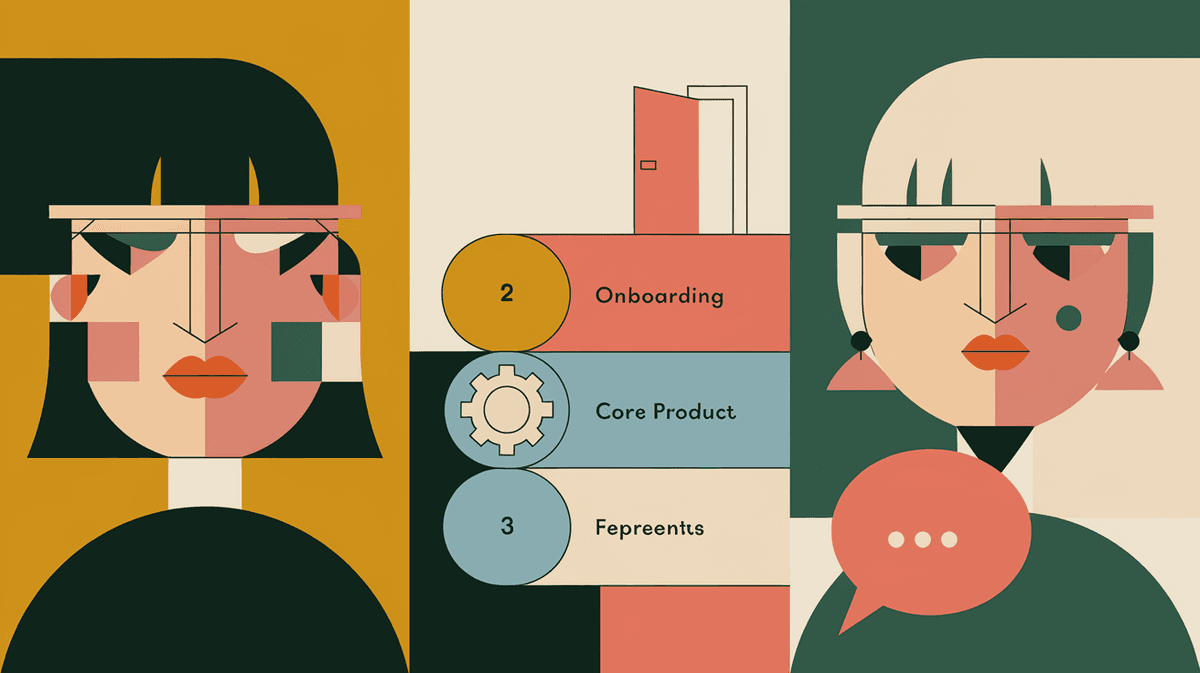
Build in this order instead:
- Onboarding (the first 10 minutes of user experience)
- Core product — the one thing that delivers value
- Feedback mechanism (how do users tell you what's working and what isn't)
- Everything else
The first thing a user does in your product shapes everything. Get that right first.
The Scope Conversation With a Developer
When you're talking to a developer or studio about scope, these are the questions that actually matter:
"What are we cutting?" Any good technical partner should be pushing back on scope, not just accepting everything on the list.
"What's the fastest path to something we can put in front of a user?" Not the finished product — the first testable version.
"What decisions are we making now that are hard to reverse?" Architecture choices, database decisions, platform choices — these matter. Feature choices mostly don't.
"What are we not building yet?" Have a clear backlog conversation. Know what's in and what's explicitly out for v1.
If the developer or studio doesn't engage seriously with these questions, find one that does.
How Long Should It Take?
Rough ranges for a properly scoped MVP, depending on complexity:
- Simple CRUD app with one core workflow: 6–10 weeks
- SaaS with integrations (Stripe, external APIs): 10–16 weeks
- Platform with multiple user types: 14–20 weeks
Anything longer than 20 weeks for an MVP is almost certainly over-scoped. Either the product is too complex for an MVP (which means you need to cut), or the team is under-resourced for what you're building.
These ranges assume a focused team and a clear spec. If you're still figuring out what to build while building it, add 50% to all of these.
The Test Before You Build
Before committing to development, run this check:
- Can you describe the MVP in one paragraph to someone who doesn't know your industry?
- Does that paragraph include exactly one core user action that creates value?
- Do you know specifically how you'll measure whether that value is being created?
- Have you talked to at least 5 potential users who confirmed the problem is real?
If you can answer yes to all four — you're ready to scope and build. If not, there's more discovery to do before you open a design tool.
If you want an outside opinion on your MVP scope before you start building, I offer a free 30-minute SaaS Build Assessment. No pitch — just a real conversation about whether your plan makes sense.
 Consulting Inquiries