343 pull requests merged across 10 codebases last week. Edge Lab took the biggest share again... but the thing I'm happiest about is less flashy. Handl now fits in your pocket. Here's the week.
Handl: built for the phone in your hand
Agency owners don't check their numbers at a desk. They check them in a cab, between meetings, or on the couch at 10pm. So this week we went through Handl screen by screen at phone width. More than fifty changes in all.
Invoices, the client page, every report, the forecast, Planning, settings, the client portal and the pay page are all laid out for a small screen now. Tables become cards, long amounts stay on one line, and the buttons you need sit where your thumb is. Your clients get the same care: accepting a project, signing an agreement and paying an invoice all work properly on a phone.
Azure costs, straight into your projects. If you host client work on Microsoft Azure, connect it once and map subscriptions, resource groups or tags to projects. Handl imports the cost every day, so hosting shows up in project margin without anyone copying numbers across. Coming next: billing that hosting back to the client with your markup.
Pause a retainer without cancelling it. Client taking a quiet month? Pause a recurring billing item and pick a date to resume, or skip a set number of cycles. The client portal and your forecast both follow along.
Also shipped in Handl this week:
- Milestone invoices record the real cost of the time and costs logged in that milestone, so you can see the margin on each one.
- The client page has a Payments tab for how each client pays. Change it, and their open invoices update to match.
- A nudge after "I've paid". If a client says they've paid and nothing's recorded a week later, owners get an email to go and check.
- Invoice summaries are written from the time on that invoice, and keep your hand edits.
- Upwork users can find the CSV import straight from Settings.
→ See how it works: cash flow · project costs · client portal → Free: unbilled hours calculator → Start a Handl trial
Edge Lab: which skis suit me?
Week two of my ski passion project, and it grew up fast.
The big one is choosing skis. On the skis page you start from the skis you already have, or answer three questions about how you ski, your level and your usual snow. Edge Lab suggests three skis and compares them for your weight and snow, with a plain-words summary, what sets each one apart and what to watch out for. There are over 1,500 skis in there now, with reviews from ski sites and YouTube reviewers matched to each model.
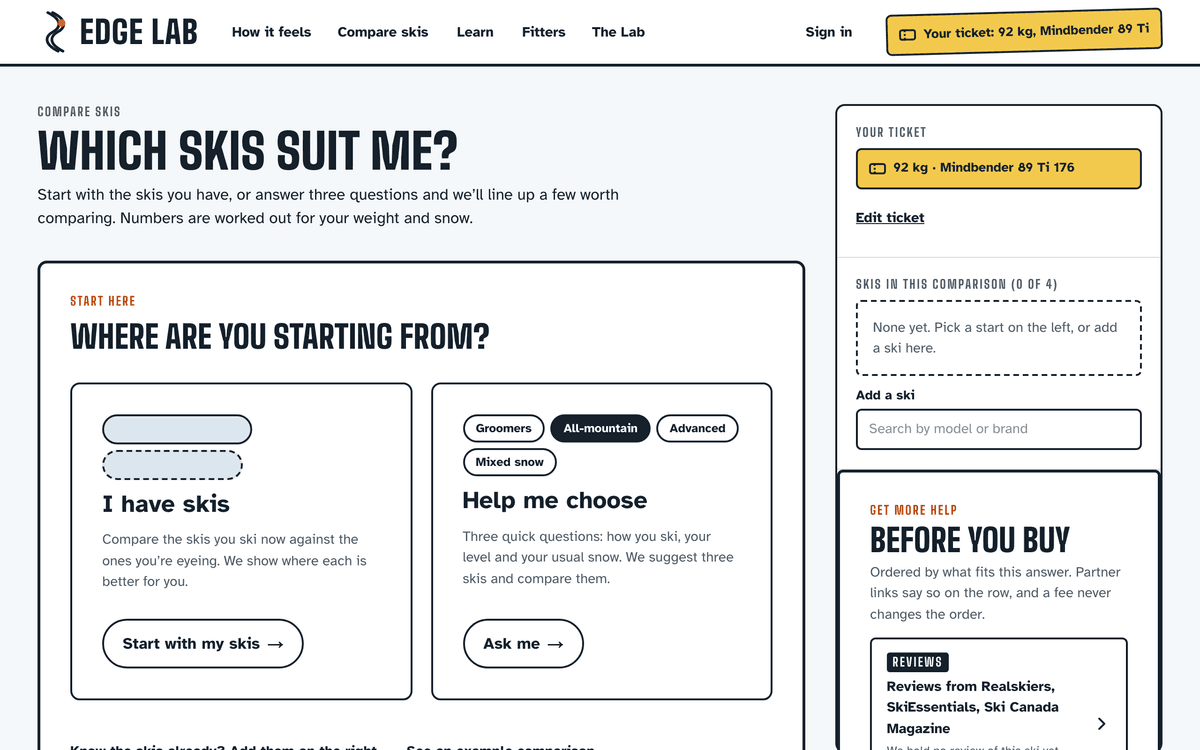
You can also build a shortlist for someone else: a friend, your partner, or a customer if you work in a shop. Fill in their brief, Edge Lab ranks the skis and explains each pick, and you send them one link.
A few more:
- "Am I ready for this ski?" pages, for the moment you're eyeing something stiffer than you need
- Lesson pages for instructors. The client sends a brief before the lesson. Afterwards the instructor sends one page with a Before and After from the Lab, videos and a notes thread the client keeps
- Pages for shops and fitters, plus a free kids' gear checklist
- A 3D skier in the Lab, with the snow and the light, so you can see the edge angle rather than read it
I'm still building this for me. But the instructor and shop pages are the first hint of who else might use it.
→ Which skis suit me? · start from what you feel · compare skis
Mortar: a better first day
A quiet one for Mortar's app, on purpose. Last week's portfolio import was big, so this week was about the first ten minutes.
New studios now get a welcome panel and a getting-started checklist, with short videos for the first few things worth doing: adding an item, sharing the client portal and importing what you already have. The same videos now run on the feature, how-it-works and comparison pages on mortar.design, so you can see the thing before you sign up.
And the calendar agenda now shows the whole upcoming list, not just the next few days.
→ How Mortar works · procurement · data import → Free: interior design budget template → Try Mortar free for 7 days
Client work
Texas REALTORS® — when a standard form has a proposed revision, members can now download it alongside the current version and comment on it until comments close. The live form stays live while the proposal is out. Members' designations and certifications now stay in sync with official membership data, and on the consumer site you can filter Find a REALTOR® by them. Small but handy: links to manage your newsletters now land on the newsletter section of My Profile, not the top of a long form.
Real Estate Jobs Australia — employer sign-up now asks for the business name, ABN, role and mobile, and checks the ABN is active before an agency can publish a job. Job seekers add their mobile and current role before they apply. Both make the first conversation between an agency and a candidate a lot quicker.
If you need something like this built for your industry, this is what we do.
Marketing, behind the scenes
- handl.works has free calculators. Unbilled hours, project margin and retainer extra hours. Each one can email you your result, and every content page now carries one.
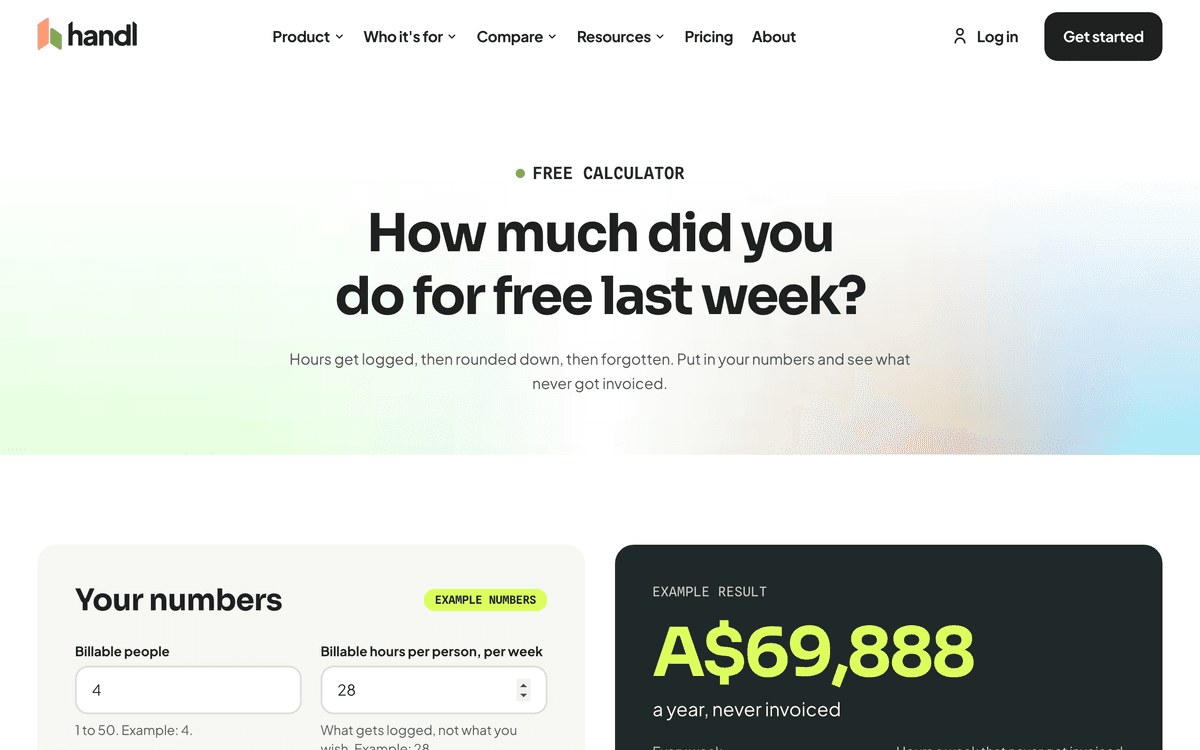
- Xero and QuickBooks have their own pages on handl.works: Handl + Xero and Handl + QuickBooks.
- Six landing pages with product video for Handl, one each for milestone, retainer and hourly billing, small agencies, invoice automation and costs. The videos come out of one capture pipeline, so they stay current as the product changes.
- Mortar's product videos are now on the site as well as in the app (see above).
One thing I learned
Release smaller, and more often.
Handl went live eight times last week. Early in the week a small payment change took two hours to get from "done" to customers, and most of that was waiting: for a staging deploy, for checks that had already passed, for a second review nobody needed.
So we cut the waiting, not the checking. Each change still gets its database rehearsal, its tests and a review. We just stopped queuing behind the steps that weren't telling us anything new. Smaller releases are easier to check and easier to undo. And customers get the improvement the same day.
See you next week.
— Daz
 Consulting Inquiries